
Moodrate
Rate the moment. See the pattern.
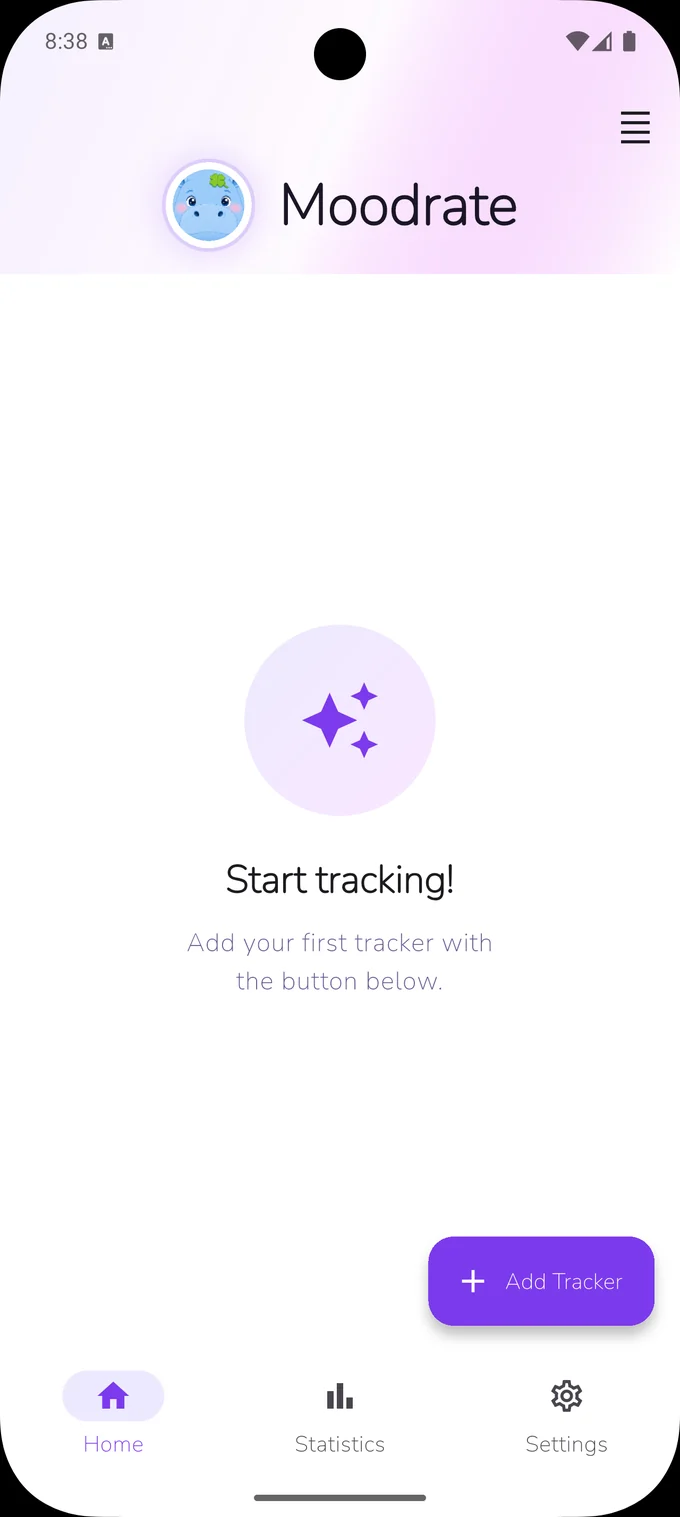
The most customizable mood & habit tracker: set your own scales, periods, and what counts as better. A calm, private space to track how you really feel — on your own scale. Works fully offline, with no account required. Want a safety net for your history? Sign in to keep an encrypted backup you can restore on a new phone — entirely your choice. Just you and your patterns.
Why Moodrate
Self-tracking that respects your time and your privacy.
Track anything, your way
Mood, energy, sleep, focus — set up a tracker for whatever matters and rate it on a scale that feels right to you.
Trends & charts
Every score turns into a clear line or bar chart, so the patterns across days and weeks jump out at a glance.
Gentle reminders
Optional, friendly nudges help you pause and check in — never naggy, and always fully under your control.
Offline-first & private
Moodrate works fully offline, with no account required by default — your entries are stored on your device. Want a safety net? You can sign in to keep an encrypted backup and restore it on a new phone — entirely optional.
How it works
Three taps to your first insight.
- 1
Step 1
Create a tracker
Name what you want to follow and pick the scale that feels right to you.
- 2
Step 2
Tap a score
Check in whenever you like. Logging how you feel takes just a couple of seconds.
- 3
Step 3
Watch the trend
Open your charts and watch the bigger picture come into focus over time.
See it in action
A clean, focused interface that stays out of your way.
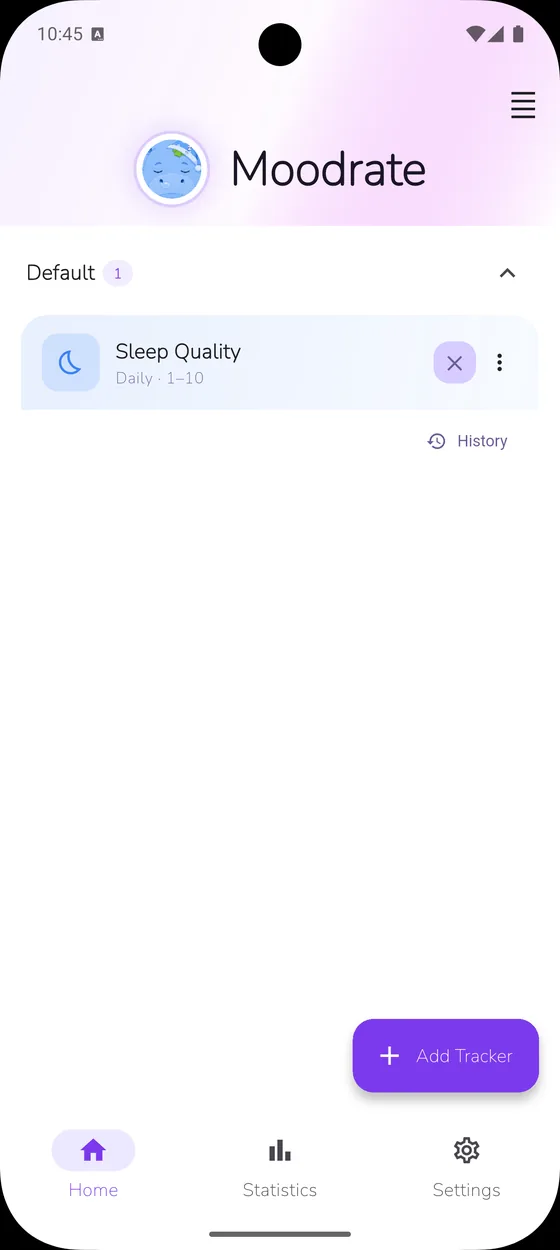
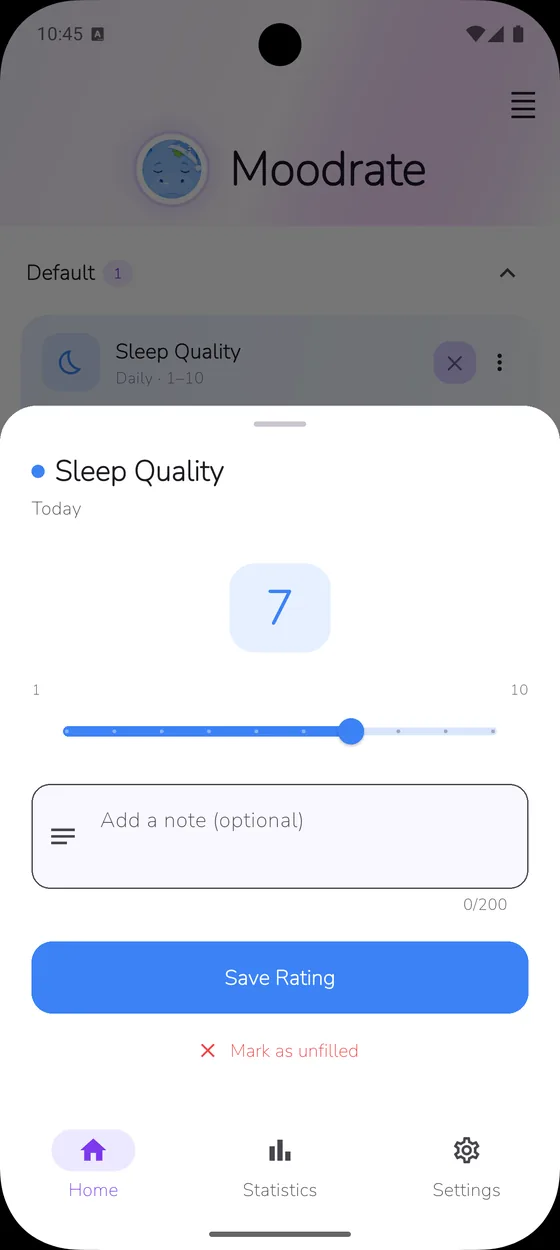
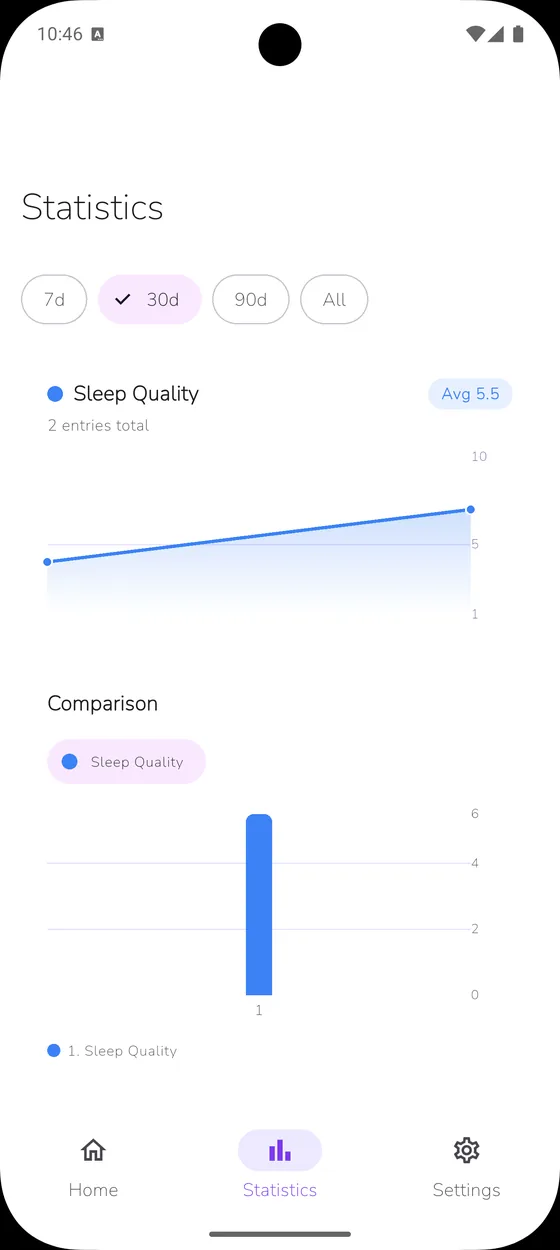
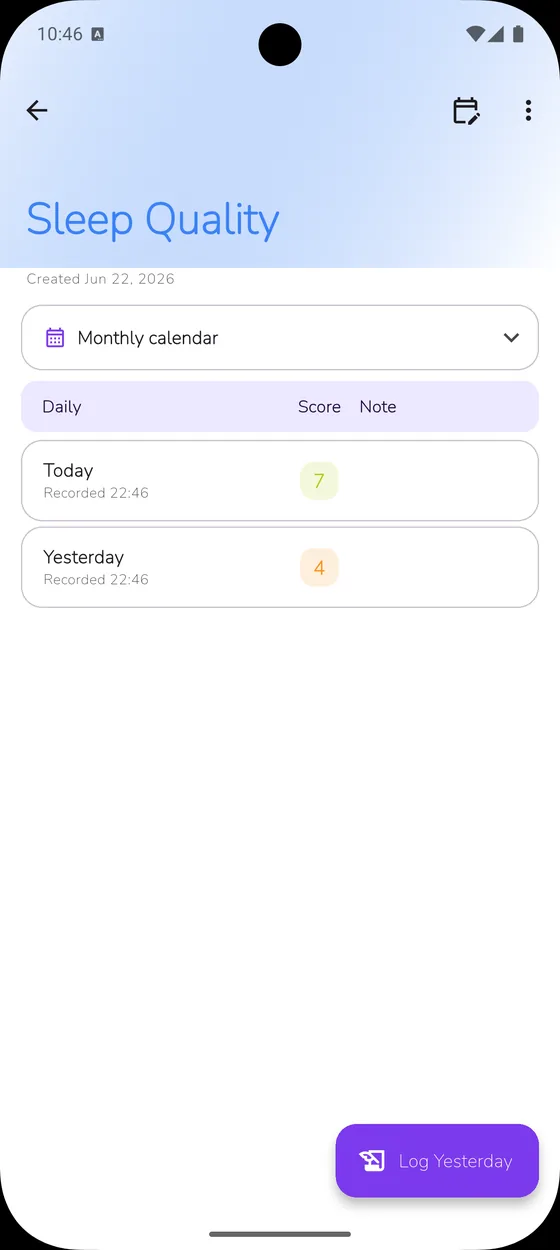
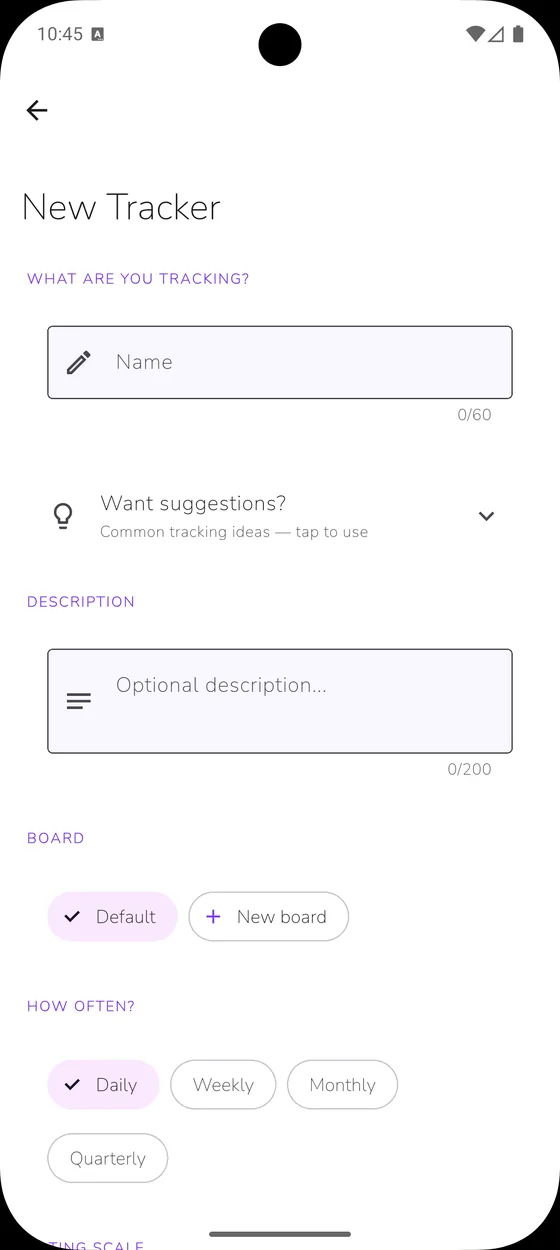
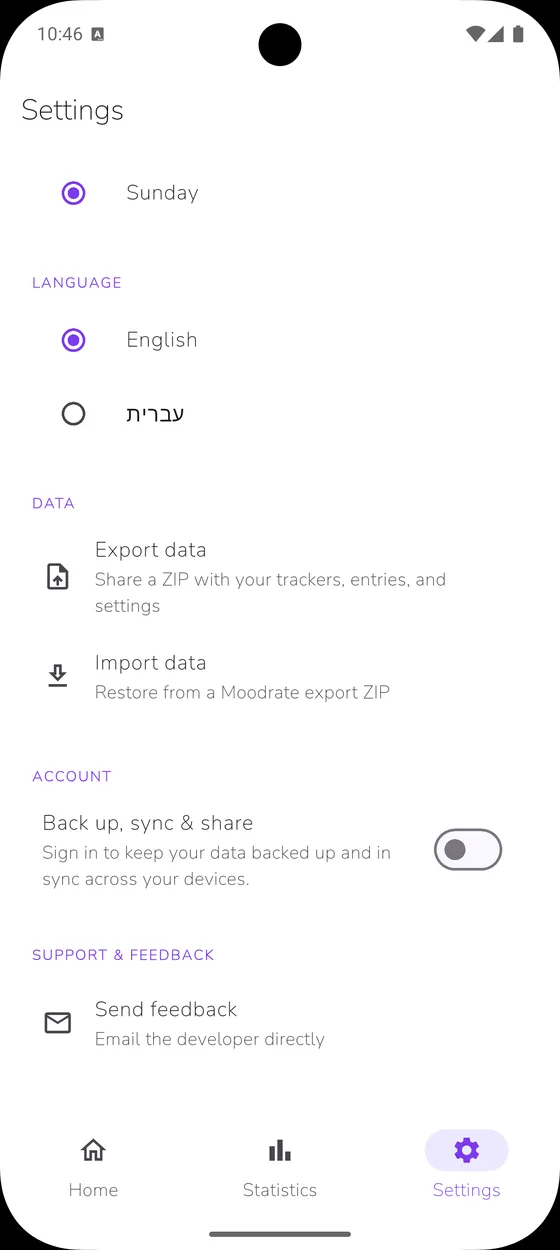
Offline by default. No account needed — unless you want an encrypted backup.
Moodrate works fully offline, storing your entries on your device. No account is required to use the app. If you'd like a safety net, you can sign in to keep an encrypted backup and restore it later — say, on a new phone — through your account. It's entirely optional, and off until you choose to turn it on.
Read our privacy policyFrequently asked questions
Is Moodrate free?
Yes — the core Moodrate app is free to use, with no account required.
Does it work offline?
Completely. Moodrate is fully offline by default — no internet connection and no account needed to use it. An optional Google account adds cloud backup, sync across your devices, and sharing boards with other people. All of it is opt-in, and the app stays fully usable without ever signing in. The only thing that may use the network is optional, anonymous diagnostics that help us fix bugs — and you can turn it off in Settings.
How configurable are trackers?
Very. Each tracker can run daily, weekly, monthly, or quarterly, use a numeric or custom scale with your own min and max and precision, and be set so that higher or lower values count as better. You can give it an icon and color, and choose how unfilled periods are handled.
What are boards?
Boards group related trackers together — for example a "Wellbeing" board with mood, sleep, and energy. You can keep several boards for different parts of your life and switch between them.
Can I share a board with someone?
Sharing is rolling out. You'll be able to invite up to 6 people to a board by email, as a viewer (sees the board's trackers and data) or an editor (can also rate every tracker, for current and past periods). Sharing requires an optional account and is entirely opt-in.
What statistics does it show?
You get per-tracker trends over time, cross-tracker comparison charts to see how things move together, and a calendar history view to look back at any period.
What can I track with it?
Anything you rate over time — mood, habits, symptoms, productivity, sleep, parenting, fitness, and more. If you can put a number or a label on it day to day, you can track it.
Can I export my data?
Yes. Since your data lives on your device, you can export it anytime to keep a personal backup.
Which languages are supported?
Free, in fifteen languages: English, Spanish, Portuguese, French, German, Italian, Polish, Russian, Hindi, Bengali, Indonesian, Chinese, Japanese, Hebrew and Arabic — with full right-to-left support.
Is Moodrate customizable?
Very. Moodrate is built to be the most customizable tracker in its category: create unlimited trackers, each with its own name, color, and icon; choose a numeric scale with any minimum, maximum, and step (whole, half, or decimal), a yes/no, or your own custom labels; set whether higher, lower, or neither is better; and log daily, weekly, monthly, or quarterly.
Can I track anything with Moodrate?
Almost anything you can rate over time. Because you control the scale, period, and direction, the same app fits mood, habits, sleep, pain, medication, cycles, focus, fitness, gratitude, and more — if you can put a number or a label on it, you can track it.
What is the most flexible mood tracker?
Moodrate is among the most flexible mood and habit trackers available: it doesn't lock you into a fixed 1–5 emoji scale. You define your own scales, custom labels, min/max and precision, four time periods, three direction modes, boards to group trackers, and per-entry notes — all offline.
Can I add notes to an entry?
Yes. Every entry can include a written note, so Moodrate doubles as a private journal — log a number and add the context behind it, like what triggered a headache or how a day actually felt.
Does Moodrate have a home-screen widget and a calendar view?
Yes. On Android, a home-screen widget lets you rate without opening the app, and a monthly calendar history shows every day at a glance — tap any day to edit past entries. Dark mode is built in.
Is Moodrate medical advice?
No. Moodrate is a tool for tracking how you feel — not a medical device — and it does not provide diagnosis or medical advice. If something about your health is worrying you, please talk to a professional.